Windows creator software · Version 1.6.0

Make the Short.
Not the editor.

Turn images, clips and voice into a finished vertical video with guided Story and Beat workflows, local captions, scene direction, covers and publishing tools — in one Windows app.

One-time purchase Local-first media workflow GPU-first rendering No subscription
From idea to upload-ready Short. Story · Captions · Motion · Cover · Publish
CORE WORKFLOW Captions that go beyond transcription.
REAL UI
GenerateReviewStyleRender
See why captions are now a core pillar

Caption workflow

01

Stop reviewing every caption.
Review what matters.

ShortmakerCS can transcribe a local video, build word-timed captions, flag sections that deserve attention, let you correct or re-transcribe the problem spots, then render the result without replacing your source video.

01 Generate locally

Create a canonical caption timeline from the video's audio with local Whisper-based transcription.

02 Review less

Caption Health separates clean captions from sections that may need checking, fixing or re-transcription.

03 Make captions feel native

Choose presets, density, motion, spoken-word highlighting, placement, type, outline, shadow and safe-zone behavior.

04 Finish from the same workspace

Fine-tune word timing when needed, then burn captions into a new MP4 or export SRT/VTT sidecars.

One focused workspace

Generated timing stays editable — without turning every job into manual subtitle work.

  • Word-level timing with waveform-guided fine tuning
  • Find / Replace and selected-range re-transcription
  • Trusted creator vocabulary for names and unusual terms
  • Speaker assignment with per-speaker color and saved style
  • Preview and final render share the same caption authority
Get the full workflow — €29
ShortmakerCS Caption Editor showing styled captions and caption timeline
Review only what needs attention
Style + spoken-word motion

Made with Shortmaker

See the result before the feature list.

The product only matters if the finished Short is better. Compare real source material with the finished output, then inspect the workflow that gets it there.

02

Five images. One story. A finished Short.

Bring in the media, shape the story, direct the moments, add captions and finish with a cover and publish review. Shortmaker keeps those steps connected instead of scattering them across separate tools.

AssetsStoryDirectPublish
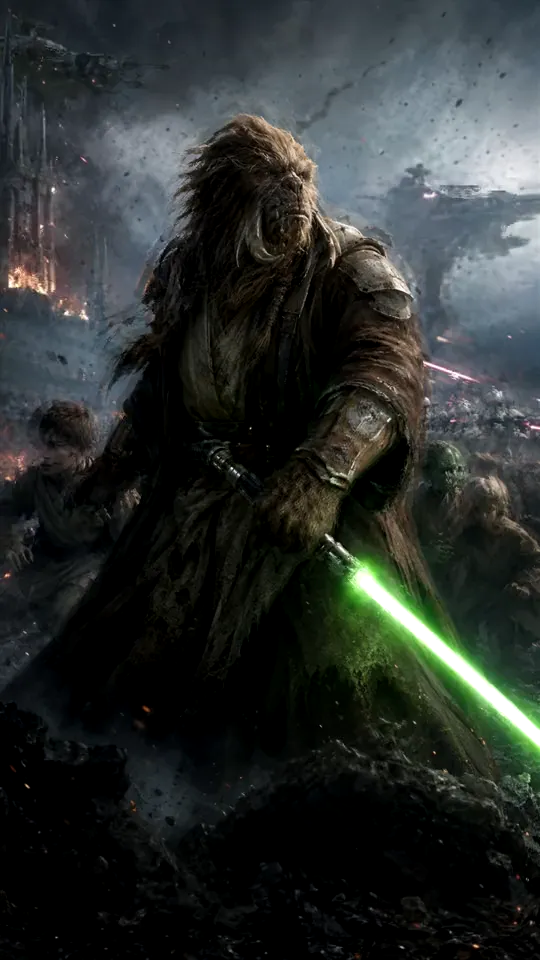
Real ShortmakerCS source imagery and cover frame selection Real source set
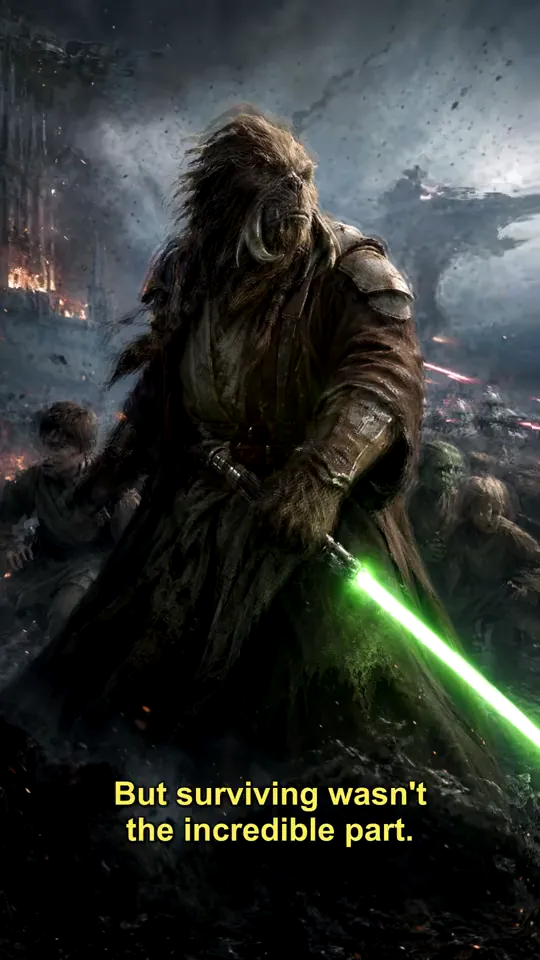
FULL SHORT VIDEO Finished Short · real output
Interactive story proof

Compare the source with what the story became.

Drag across the preview to reveal the source and finished Short at the same moment. When the source motion preview is present, both sides stay synchronized automatically.

Beforeassets/media/story-before.mp4 Afterassets/media/full-short.mp4
INTERACTIVE STORY COMPARE Before / after proof
assets/media/story-before.mp4 assets/media/full-short.mp4

Story workflow

03

Build around the story — not around a timeline full of controls.

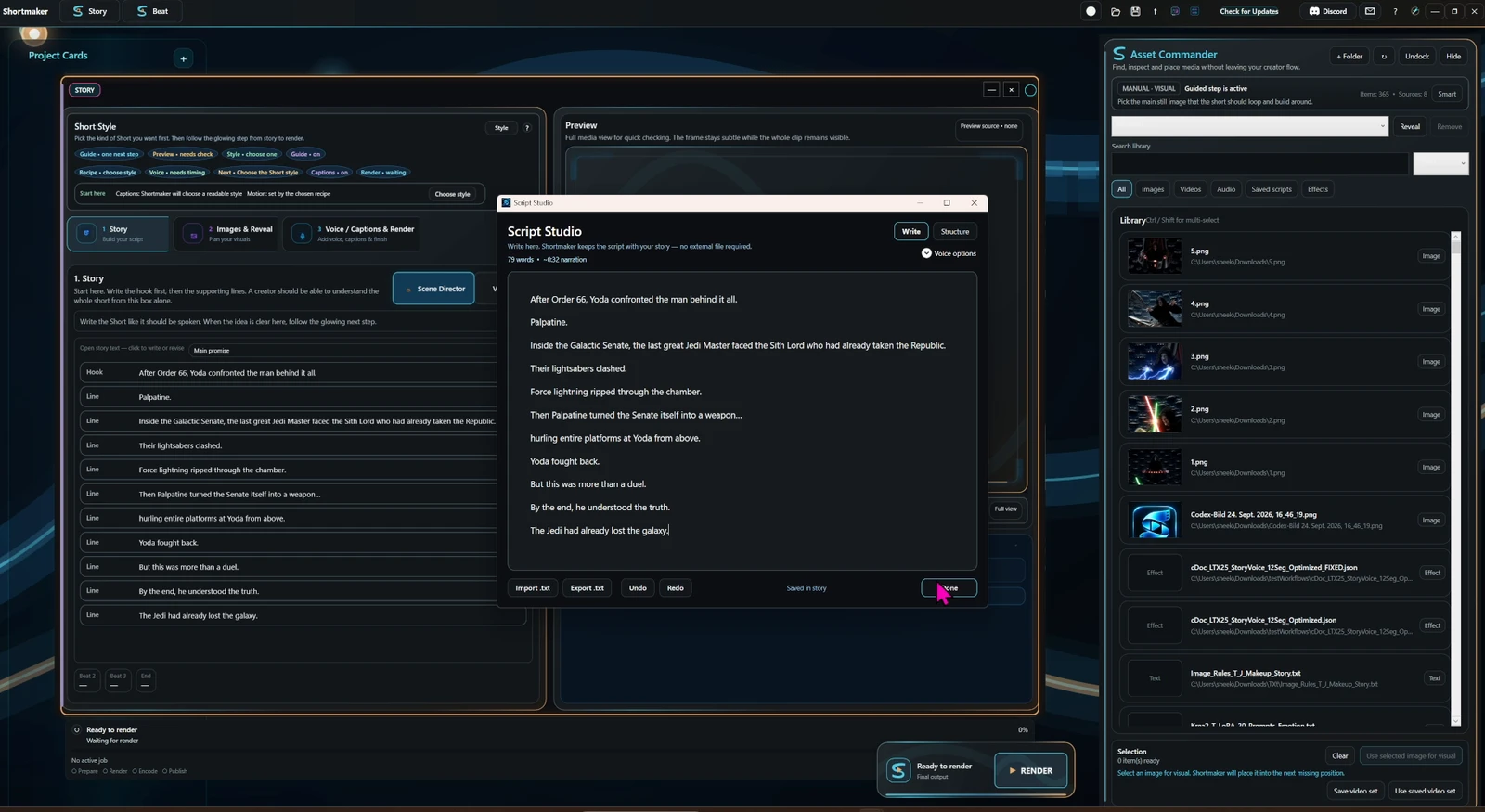
Start with what the viewer should understand. Bring in the media, lock the voice and pacing, preview the result and follow the next useful step instead of configuring everything at once.

STORY CARDREAL UI
Real ShortmakerCS Story Card UI
Asset Commander Real ShortmakerCS Asset Commander panel

Scene Director

04

Direct the moment instead of keyframing everything by hand.

Choose the focus, shape motion and depth, add atmosphere and place effects on the real scene timeline. The point is not more controls — it is giving a static scene a directed visual intention.

Current sceneReal Scene Director preview
Current real ShortmakerCS Scene Director preview
DirectedResult preview
DIRECTED SCENEScene Director result preview
SCENE DIRECTORREAL UI
Current ShortmakerCS Scene Director interface
BEAT CARDREAL UI
Current ShortmakerCS Beat Card interface
BEAT RESULTMusic-driven edit preview

Beat workflow

05

When the music should lead, let the rhythm become the edit.

Beat mode uses music analysis, markers and creator direction to distribute media around the rhythm, then gives you a focused place to refine the result before render.

Drop mediaSync4 directionsRefineRender

One connected creator flow

Story, captions, direction and publishing should feel like one job.

ShortmakerCS keeps the creative decisions connected so you can move from source media to a finished Short without rebuilding the project in another editor just to finish it.

01Bring in mediaAsset Commander
02Build the ideaStory or Beat
03Finish captionsGenerate · Review · Style
04Direct scenesMotion · Depth · Look
05PublishCover · Review · Upload

Publish-ready workflow

06

Finish the post while the creative context is still in front of you.

Choose a strong frame, work on cover options, review post details and prepare the upload from the same creator flow. YouTube publishing is integrated for creators who want to use it.

Cover frame selection Cover ideas Post review Caption readiness
PUBLISH REVIEWREAL UI
Real ShortmakerCS Publish Review cover selection UI
Real ShortmakerCS Cover tools area Cover tools
CC

Local caption generation

Caption transcription and review are designed around local processing rather than sending your source video to a Shortmaker server.

GPU

GPU-first video pipeline

ShortmakerCS uses Direct3D 11 and Media Foundation paths for performance-focused preview and render work.

Keep editing the same project

Story, Beat, Scene Director, captions and result review are connected around persistent local project state.

One payment, not another subscription

The current ShortmakerCS purchase is €29 once through Lemon Squeezy.

ShortmakerCS

Everything above. One Windows app.

Story and Beat workflows, Caption Editor, Scene Director, cover and publish tools, project persistence and ongoing product updates.

€29 one-time
✓ No subscription ✓ Secure checkout via Lemon Squeezy ✓ Existing customers receive updated builds through their purchase
Get ShortmakerCS — €29 Hosted checkout by Lemon Squeezy · Merchant of Record Questions before buying?

Before you buy

Clear answers before you leave the page.

Is ShortmakerCS a subscription?+

No. The current purchase is a one-time €29 payment through Lemon Squeezy.

What platform does ShortmakerCS run on?+

ShortmakerCS is a Windows desktop application. The current technical baseline targets Windows 10 build 19041 or newer.

Are captions generated locally?+

Yes. The current caption workflow prepares the video's audio and uses the local Whisper transcription bridge to create the caption timeline. Optional online integrations are separate.

Can I edit the generated captions?+

Yes. You can edit text, split and merge captions, review flagged sections, re-transcribe a selection, adjust word timing, style the captions and export a new captioned video or SRT/VTT files.

Does rendering captions overwrite my original video?+

No. The caption render workflow creates a new MP4 and explicitly protects the source file from being used as the output path.

How do updates work?+

ShortmakerCS checks the public update manifest for newer releases. Existing customers can download updated builds from their Lemon Squeezy purchase.

ShortmakerCS

Make the Short. Not the editor.

From first media to reviewed captions and publish-ready output — in one connected creator workflow.

Get ShortmakerCS — €29